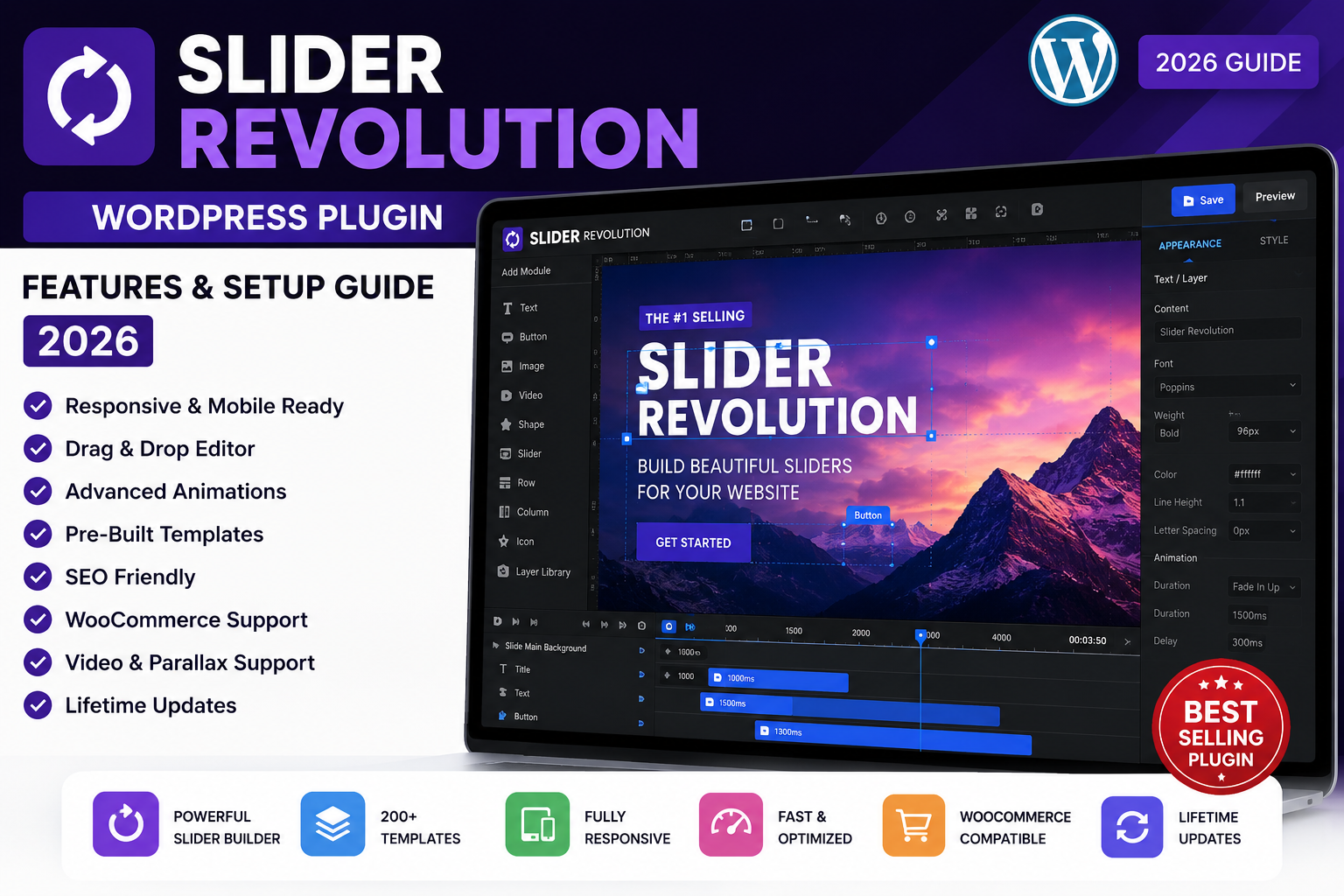
If you’re looking for a powerful way to create stunning sliders, hero sections, landing pages, and interactive website content, Slider Revolution WordPress Plugin is one of the most popular choices available. It offers a visual drag-and-drop editor, hundreds of professionally designed templates, responsive layouts, and advanced animation effects that help websites stand out.
Whether you manage a WordPress blog, business website, portfolio, or online store, this plugin makes it easy to design engaging content without writing code.
What is Slider Revolution?
Slider Revolution is a premium visual editor for WordPress that allows users to create:
- Hero sections
- Image sliders
- Video sliders
- Landing pages
- Portfolio showcases
- Product sliders
- Carousels
- Interactive presentations
Unlike basic slider plugins, it functions as a complete visual design tool for creating dynamic website sections.
Key Features of Slider Revolution WordPress Plugin
1. Drag-and-Drop Visual Editor
The intuitive visual editor allows you to build pages by dragging and arranging elements such as text, buttons, images, videos, icons, and shapes.
Benefits
- No coding required
- Beginner friendly
- Real-time editing
- Professional results
2. 250+ Ready-Made Templates
The plugin includes hundreds of templates for:
- Business websites
- Agencies
- Portfolios
- Landing pages
- Online stores
- Personal blogs
- Creative websites
These templates save time and make website design much easier.
3. Fully Responsive Design
Every slider automatically adjusts to desktops, tablets, and smartphones, ensuring visitors enjoy a consistent experience across all devices.
4. Advanced Animation Effects
Create eye-catching designs with:
- Fade animations
- Zoom effects
- Layer animations
- Scroll effects
- Hover animations
- Mouse interactions
- Timeline animations
5. Video Background Support
Slider Revolution supports:
- YouTube videos
- Vimeo videos
- HTML5 videos
- Self-hosted videos
Video backgrounds help increase user engagement on landing pages and business websites.
6. WooCommerce Integration
Showcase products with interactive sliders and promotional banners. This feature is especially useful for eCommerce stores running WooCommerce.
7. SEO-Friendly Structure
The plugin is designed to work well with SEO best practices. Combined with optimized content, proper headings, image optimization, and a fast WordPress theme, it can support better search visibility.
Review Google’s SEO guidance for website optimization through Google Search Central.
8. Fast Performance
Recent versions include performance improvements such as:
- Lazy loading
- Optimized assets
- Improved loading speed
- Better Core Web Vitals compatibility
How to Install Slider Revolution WordPress Plugin
Step 1
Download the plugin ZIP file from your licensed source.
Step 2
Go to Plugins → Add New → Upload Plugin.
Step 3
Upload the ZIP file.
Step 4
Click Install Now.
Step 5
Activate the plugin.
Step 6
Import a pre-built template or create a new project.
Step 7
Customize text, images, colors, and animations.
Step 8
Publish the slider and insert it into any page or post using the provided shortcode or block.
Best Use Cases
Slider Revolution is ideal for:
- Business websites
- Corporate homepages
- Landing pages
- Digital agencies
- Personal portfolios
- Online stores
- News websites
- Photography websites
- WordPress blogs
- Marketing campaigns
Tips for Better Performance
To keep your website fast:
- Compress images before uploading.
- Limit unnecessary animation effects.
- Use modern image formats like WebP.
- Enable caching.
- Optimize CSS and JavaScript.
- Test performance regularly with tools such as PageSpeed Insights.
Looking for a complete website makeover? Explore our latest WordPress Themes and Landing Page Templates to pair with Slider Revolution.
Frequently Asked Questions
Is Slider Revolution beginner-friendly?
Yes. The visual editor makes it easy to build sliders without coding knowledge.
Can I use it with WooCommerce?
Yes, it integrates well with WooCommerce for showcasing products and promotions.
Does it support mobile devices?
Yes. All templates and sliders are fully responsive.
Is Slider Revolution good for landing pages?
Absolutely. It includes numerous templates designed specifically for high-converting landing pages.
Conclusion
Slider Revolution WordPress Plugin is more than a simple slider tool. With its drag-and-drop editor, responsive templates, advanced animations, and support for hero sections and landing pages, it is an excellent choice for bloggers, businesses, agencies, and online stores looking to create engaging websites.
By combining the plugin with quality content, a fast theme, and proper SEO practices, you can build a visually appealing website that provides a better user experience and has stronger potential to perform well in search results.